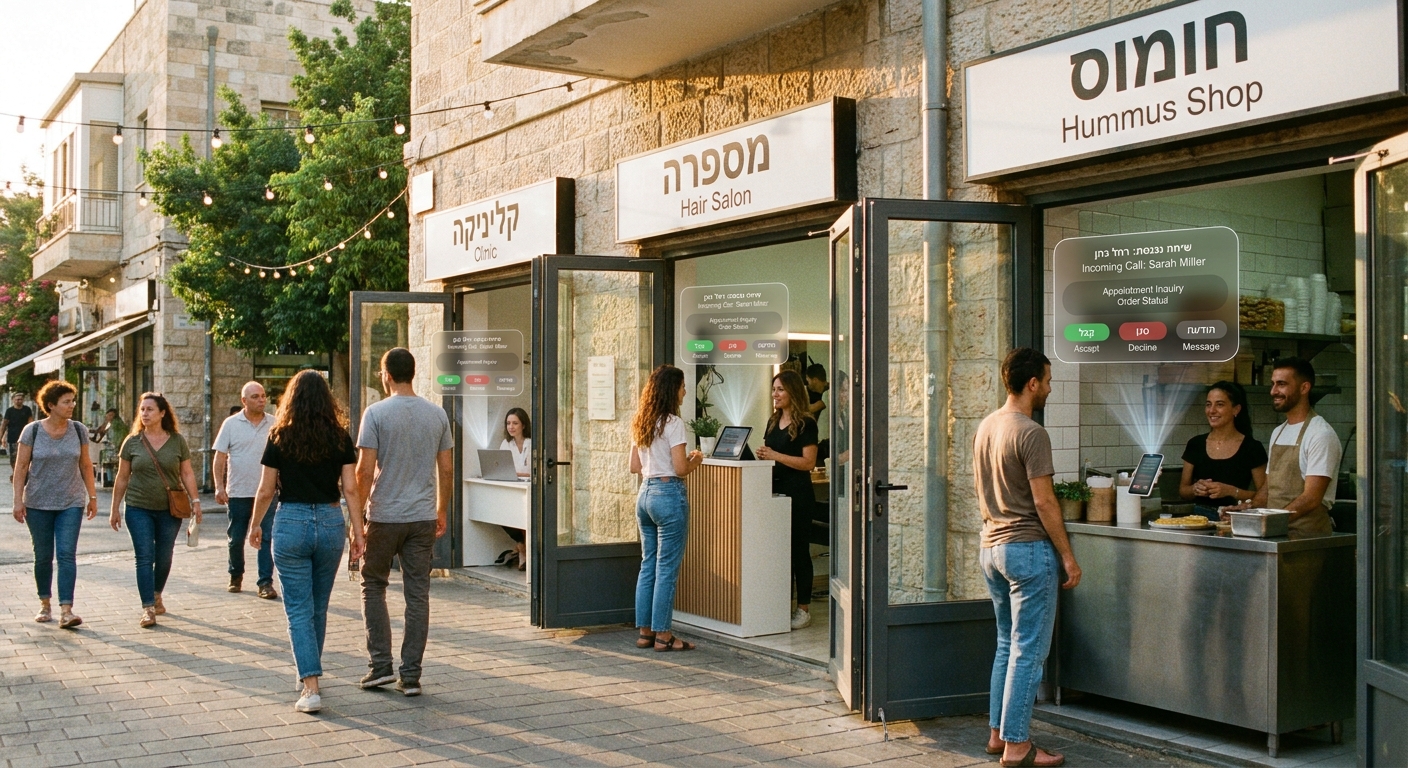
You know the feeling. The phone rings while you are helping a customer at the counter, replying to WhatsApp, checking a supplier message, and trying to remember whether you promised to pick up the kids. You let it ring out. Then you wonder if that was a new client, a repeat order, or someone ready to book and pay. For a lot of small businesses, that missed call is not just annoying. It is money quietly slipping away.
That is why the rise of the Israeli AI receptionist for small business matters right now. This is not about replacing people with robots. It is about making sure every caller gets an answer, every lead gets logged, and every owner gets a bit of breathing room. For Israeli and diaspora-run businesses under pressure from war, uncertainty, and rising costs, a good AI receptionist can act like a calm front-desk helper that never gets tired, never forgets to follow up, and works even when you are pulled in ten directions at once.
⚡ In a Hurry? Key Takeaways
- An Israeli AI receptionist for small business can answer missed calls, capture leads, book appointments, and send summaries so fewer potential customers disappear.
- Start small. Test one use case first, like after-hours call answering or appointment booking, before changing your whole phone setup.
- Pick a tool with clear privacy controls, easy handoff to a human, and support for your real workflow, not just a flashy demo.
Why missed calls hurt more than most owners realize
Most small business owners do not sit down and calculate the cost of an unanswered phone call. They feel it instead. Fewer bookings. More empty slots. That nagging sense that business should be busier than it is.
If you run a clinic, salon, legal office, repair service, restaurant, property business, or consultancy, the phone is still where many paying customers start. People call when they are ready to act. They want an answer now. If they do not get one, many simply move on to the next number in Google.
That is what makes this category useful. A modern AI receptionist is not trying to sound clever. Its real job is simple. Answer fast. Gather the basics. Route the call. Book the slot. Send the owner the details. That alone can make a very real difference.
What an AI receptionist actually does
Forget the buzzword for a minute. Think of it as a virtual front desk.
It answers calls
When you cannot pick up, it does. That includes evenings, weekends, lunch rushes, and those five minutes that turn into fifty.
It speaks with customers
It can ask what the caller needs, collect their name and number, answer common questions, and guide them to the next step.
It books and confirms
Some tools connect to calendars or booking systems, so callers can schedule appointments without waiting for a callback.
It sends you a summary
Instead of vague missed-call notifications, you get a written summary, caller details, and sometimes even a transcript or recording.
It hands off when needed
The good systems know when to stop and bring in a real human. That part matters a lot.
Why Israeli-made tools are getting attention
Israel has a long history of building practical communication tech. That matters here because phone systems are messy in real life. Customers interrupt. They switch languages. They ask side questions. They call while stressed, rushed, or confused. A tool built by teams used to high-pressure environments often feels more grounded in the real world.
There is also a community angle. If you are trying to keep your business lean while still supporting Israeli innovation, choosing an Israeli AI receptionist for small business can be one way to do both. Not every company needs to send yet another monthly payment to a giant US platform if a local or Israel-built option does the job better for your needs.
Who benefits most from an AI receptionist
Not every business needs one. But some businesses will see value almost immediately.
Service businesses
Electricians, plumbers, locksmiths, cleaners, and mobile repair teams are rarely in a position to answer every call. An AI receptionist can catch urgent requests and log details while you are on the road.
Clinics and wellness practices
Doctors, dentists, therapists, physios, and cosmetic clinics deal with heavy call volume and repeated questions. Booking, intake, reminders, and simple FAQs are natural fits.
Hospitality and food
Restaurants and catering businesses often miss calls during peak hours. If the system can handle reservations, menu basics, opening hours, and private event inquiries, that can remove a lot of friction.
Professional services
Law firms, accountants, mortgage brokers, and real estate offices rely on trust and responsiveness. A polished first response matters. It does not have to close the deal. It just has to keep the lead warm.
What to look for before you sign up
This is where many owners get tripped up. A slick demo is easy. Daily use is what counts.
Natural call flow
Does it sound calm and clear, or stiff and confusing? You do not need movie-level realism. You need callers to feel understood and guided.
Easy setup
If setup takes weeks, it may be too much for a small operation. Look for something that can be running quickly with a simple call-forwarding process.
Calendar and CRM connections
If it cannot push bookings into your calendar or notes into your customer system, someone still has to re-enter everything by hand. That defeats part of the point.
Good human handoff
Can it transfer a hot lead to you or a staff member? Can it send a text to alert you? Can callers ask for a person? These are not extras. They are important.
Hebrew and English support
For many Israeli and diaspora-run businesses, bilingual support is a big plus. Some may also need Russian, French, or Arabic depending on their market.
Clear pricing
Watch for charges based on minutes, calls, seats, integrations, or setup. Ask for the real monthly cost, not just the lowest advertised number.
Privacy and compliance
If your calls include health, legal, financial, or sensitive personal details, ask how data is stored, who can access it, and how long transcripts are kept.
What a smart rollout looks like
You do not need to switch your whole business in one afternoon. In fact, you should not.
Start with your biggest pain point
Maybe that is after-hours calls. Maybe lunch rush. Maybe appointment scheduling. Pick the one issue that is clearly costing you time or money.
Write down your top 10 common questions
Opening hours, pricing basics, address, parking, service area, availability, and booking rules. If the tool can answer these well, it already takes a lot off your plate.
Track results for 30 days
Count how many calls were answered, how many leads were captured, how many bookings came through, and how many times a human had to step in.
Adjust the script
Most tools get better when you tune them. If callers keep asking a question the system handles badly, fix that first.
Common worries, and the honest answer
“My customers want a real person”
Sometimes, yes. Especially for sensitive or high-value conversations. But many callers mainly want speed. If they can get an answer, book a slot, or leave a message that actually gets handled, they are often perfectly happy.
“It will sound robotic”
Some systems still do. Others are much better. The answer is not to assume. Test them. Call them yourself. Have a friend call too.
“It feels expensive”
It can be. But compare the cost to missed leads, interrupted staff, and the hours spent calling people back. For businesses with even a modest flow of inbound calls, the maths can work out quickly.
“I do not want to lose the personal touch”
You should not. The goal is to protect the personal touch by freeing you from repetitive admin. Let the system catch and sort. Let your team handle the moments that need warmth, judgment, and trust.
Red flags to avoid
Be careful if a vendor cannot explain what happens when the system gets confused. Be careful if there is no easy way to transfer to a human. Be careful if the product is amazing in a scripted demo but thin on customer support. And be very careful if pricing is hard to pin down.
A simple rule helps here. If you cannot explain in one sentence what the tool will do for your business, do not buy it yet.
What success looks like after a month
You are not looking for magic. You are looking for fewer dropped balls.
Success might mean:
- More calls answered outside business hours
- More bookings without staff involvement
- Fewer interruptions during customer-facing work
- Cleaner lead notes and better follow-up
- Less stress at the end of the day
That last one is easy to overlook. It matters. Small business owners are carrying enough right now.
At a Glance: Comparison
| Feature/Aspect | Details | Verdict |
|---|---|---|
| Best first use case | After-hours answering, lead capture, and basic appointment booking are usually the easiest wins. | Start here first |
| Must-have feature | Clear handoff to a human, plus summaries by SMS or email and calendar integration. | Non-negotiable |
| Main risk | Poor setup can frustrate callers, miss nuance, or create extra admin instead of reducing it. | Test before rolling out widely |
Conclusion
Right now, small businesses do not need more hype. They need tools that quietly solve real problems. An Israeli AI receptionist for small business can do exactly that when it is set up well. It can protect revenue that would otherwise vanish in missed calls, give owners back time and focus, and help teams serve customers better instead of scrambling between ringing phones and daily chaos. With war, uncertainty, and rising costs still putting pressure on Israeli and diaspora-run businesses, practical tools like this matter. They turn a scary buzzword into something useful, and they keep more money and momentum flowing through the Israeli innovation ecosystem instead of defaulting to generic Silicon Valley platforms.